
Trusted by 6700+ Designers
Become a Confident UX/UI Designer
Learn what truly matters—real UX/UI skills, real projects, no wasted time.
Why Join this course?
-
4.89/5 Student Rating
-
Learn at Your Own Pace
-
40+ Deep-Dive Lessons
-
7+ Hours of Video Content
-
Templates & Free Resources
-
Hands-On Assignments
-
Real-World Projects
-
Lifetime Access Included
-
Certificate Upon Completion
-
14 Day Money back Guarantee
-
Bonus Mini Course on AI for UX
Who Should Join?
Absolute Beginners with no prior design experience
Students who want portfolio-worthy projects
Career-Changers shifting to digital UX/UI
Freelancers & Founders building modern skills for better clients and users
Who's This For?
Honestly? If you’re serious about leveling up and not just “thinking about it someday,” this is for you. Here’s who we had in mind when we made this:
Absolute Beginners
You don’t need any experience. Zero. Nada. Just follow the steps and you’ll be designing real stuff faster than you think.
Future Designers
You’ve got the eye or the passion (or both). We’ll help you turn that into actual, portfolio-ready projects you’ll be proud to show off.
Career-Changers
Maybe you’re stuck in a job that doesn’t light you up anymore. This course? It’s your launchpad into something better.
Freelancers & Founders
Running your own thing? Imagine creating your own landing pages, apps, or client projects — without begging designers for help. We’ll get you there.
Devs Who Want Design Superpowers
You can code with your eyes closed, but design feels like black magic? We’ll make it click — so your products don’t just work, they wow.
What You’ll Master in This Course
From learning design thinking to creating real-world projects. This course takes you step-by-step from the basics to confidently designing complete user experiences. No fluff, just the practical skills that make you job-ready.
- START
1
Think Like a Real Designer
No more guessing. You’ll learn how real designers approach problems—using design thinking, empathy, and user-first thinking to create stuff that actually works.
2
Do User Research Without Guessing
You’ll know exactly how to dig into what users actually need — and how to turn that into designs that make sense (and money).
3
Nail Visual Design Like a Pro
Gestalt? Usability heuristics? Yeah, you’ll know them—and more importantly, how to use them to make clean, beautiful, functional designs.
4
Design Websites & Apps People Love
Together we’ll design websites and apps that are smooth, intuitive, and make people go “whoa—this is nice.
5
Master Figma & Prototyping
You’ll go from “What’s a frame?” to “Look what I built!” in no time. Real interfaces. Real prototypes. All in Figma.
6
Apply UX Best Practices
You’ll stop winging it and start designing based on what actually works. Industry-approved strategies. No fluff.
7
Design with Confidence
You’ll go from “not sure if this is right…” to “heck yes, this works” — all through hands-on practice and real-world projects.
8
Explain Your Design Choices Like a Pro
We’ll teach you how to explain your ideas clearly (without sounding like a robot), so teams and clients actually get it.
9
Use AI to Work Smarter (Not Harder)
Yes, we’re future-proofing you too. We’ll show you how to use AI tools to streamline your workflow and spark creativity.
10
Walk Away with a Job-Ready Portfolio
Not just pretty screens. Real, polished projects that show off your skills and make hiring managers or clients say “Let’s talk.
- FINISH
What You’ll Actually Master in This Course
No fluff. No dragging things out. Just real skills you can use from day one.
Think Like a Real Designer
No more guessing. You’ll learn how real designers approach problems—using design thinking, empathy, and user-first thinking to create stuff that actually works.
Do User Research Without Guessing
You’ll know exactly how to dig into what users actually need — and how to turn that into designs that make sense (and money).
Nail Visual Design Like a Pro
Gestalt? Usability heuristics? Yeah, you’ll know them—and more importantly, how to use them to make clean, beautiful, functional designs.
Design Websites & Apps People Love Using
Together we’ll design websites and apps that are smooth, intuitive, and make people go “whoa—this is nice.
Master Figma & Prototyping (Like, For Real)
You’ll go from “What’s a frame?” to “Look what I built!” in no time. Real interfaces. Real prototypes. All in Figma.
Apply UX Best Practices Like a Pro
You’ll stop winging it and start designing based on what actually works. Industry-approved strategies. No fluff.
Design with Confidence (Not Imposter Syndrome)
You’ll go from “not sure if this is right…” to “heck yes, this works” — all through hands-on practice and real-world projects.
Explain Your Design Choices Like a Boss
We’ll teach you how to explain your ideas clearly (without sounding like a robot), so teams and clients actually get it.
Use AI to Work Smarter (Not Harder)
Yup, we’re future-proofing you too. We’ll show you how to use AI tools to streamline your workflow and spark creativity.
Walk Away with a Job-Ready Portfolio
Not just pretty screens. Real, polished projects that show off your skills and make hiring managers or clients say “Let’s talk.

Meet Your Mentor
Hi, I’m Sabik, a designer with over 6 years of hands-on experience, including working with leading brands like HealthifyMe. I’m not a corporate guru—I’m someone passionate about making design simple and accessible for you.
This course isn’t about me; it’s about helping you gain practical skills, building your confidence, and giving you a space to explore your creativity. Whether you’re just starting out or looking to upskill, let’s embark on this design journey together. You’ll leave with more than knowledge—you’ll gain a true friend in design.
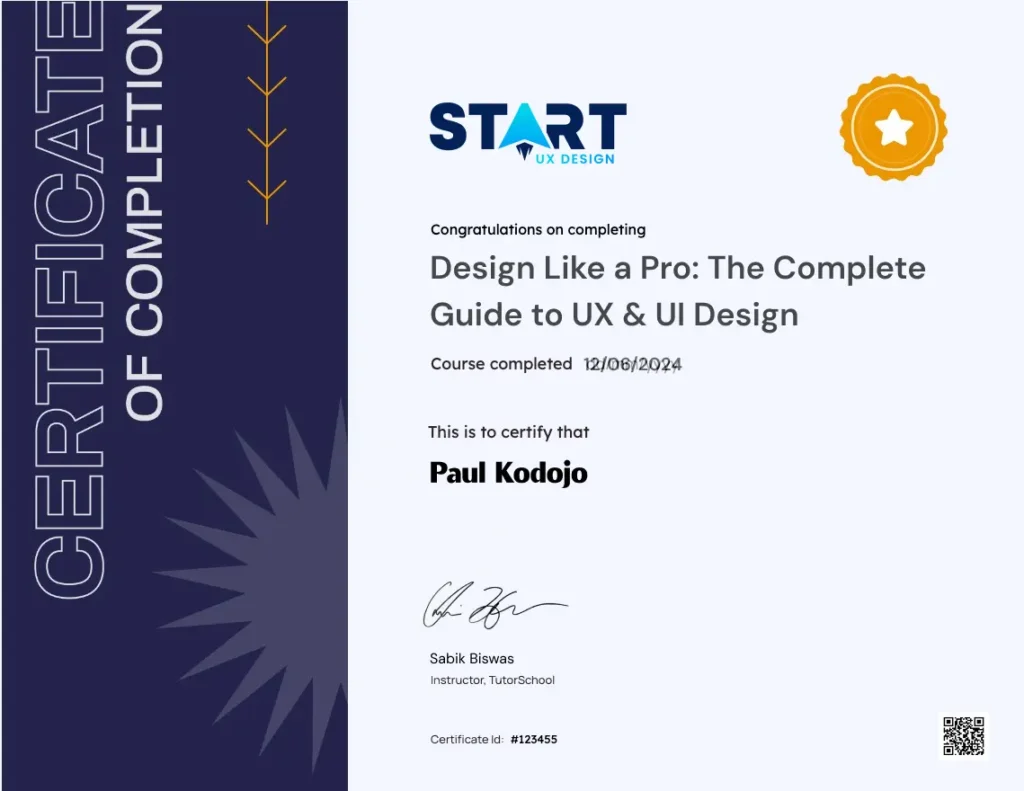
Earn Your Verified UX & UI Design Certificate
Complete the course and earn a verified certificate from a structured, industry-aligned program. Add it to your LinkedIn profile and share it with confidence.
- Official. Verified. Signed.
- Add It to Your Resume & LinkedIn
- Career-Shift Friendly
Choose your plan
6 Months Access
Perfect for focused learners
₹ 0
Regular Price: ₹6599 • Save 55%
Includes
-
Full Course Access
-
7+ Hours of Video Content
-
Real-World Projects
-
Hands-On Assignments
-
User Research Toolkits
-
Course Notes and Figma Files
-
Certificate Upon Completion
-
Bonus: Mini Course on AI for UX
-
14 Day Money back Guarantee
Lifetime Access
Best value for becoming job-ready
Popular
₹ 0
Regular Price: ₹11049 • Save 65%
Includes
-
Full Course Access
-
7+ Hours of Video Content
-
Real-World Projects
-
Hands-On Assignments
-
User Research Toolkits
-
Course Notes and Figma Files
-
Certificate Upon Completion
-
Bonus: Mini Course on AI for UX
-
14 Day Money back Guarantee
Plus
-
All Future Course Updates
-
Project Feedback & Portfolio Review
-
Priority Email & Chat Support
100% Money-Back Guarantee:
We’re confident you’ll love our course and find it valuable for your learning journey. To ensure your satisfaction, we offer a 100% refund within 14 days of purchase, as long as you meet our simple policy guidelines.
14-Day Window:
You have 14 days from the date of purchase to request a full refund.
Easy and Hassle Free Process:
Simply reach out to support@startuxdesign.com, and we’ll process your refund request.
Know More About Refund Eligibility:
Our refund policy is designed to be fair and transparent. To understand the complete details and eligibility, please check out our full refund policy here.
Our goal is to provide high-quality education and ensure your complete satisfaction. This refund policy is designed to give you peace of mind as you embark on your learning journey with us.
Course Curriculum
Every module builds your confidence step by step. From Zero to Job-Ready Designer.
Module 1: Design Foundations
- Welcome & Course Overview
- The Power of UX Design
- Design Decision vs The Design
- Design Thinking: The Problem-Solving Process
- User-Centered Design: Your Guiding Star
- Design Thinking Challenge: Assessment & Project Kick-Off
Module 2: User Research Mastery
- Unlocking User Insights: Intro to Research
- Research Tools & Techniques: Choosing the Right Methods
- The Design Brief: Your Research Roadmap
- Research in Action: Assessment & Project Update
- Empathy Mapping: Stepping into User Shoes
- Meet Your User: Crafting Personas
- Mapping the Journey: Understanding User Experiences
- Research Insights Challenge: Assessment & Project Update
Module 3: From Ideas to Interface
- Designing User Flows: Smooth Journeys
- Organizing Information: The Power of Structure
- Usability Check: Design That Makes Sense
- UI Design Patterns: Tried & True Solutions
- The Art of Visual Design: Principles in Action
- Understanding Gestalt: How Users Perceive Design
- Visual Design Challenge: Assessment & Project Update
- Wireframing: Sketching Your Ideas - Part 1
- Wireframing: Sketching Your Ideas - Part 2
Module 4: Mastering Figma & Prototyping
- Meet Figma: Your UX/UI Power Tool
- Figma Deep Dive: Mastering the Essentials
- Figma Skills Test: Show What You Know!
- Typography Fundamentals: Text with Impact
- The Psychology of Color in UX/UI
Module 5: Building Your Design Project
- High-Fidelity Design: Crafting Your App (Part 1)
- High-Fidelity Design: Crafting Your App (Part 2)
- Prototyping Basics: Bringing Designs to Life
- Prototyping in Action: Creating Interactive Experiences
- Test Prep: Getting Your App User-Ready
- Next Steps: Build Your Portfolio & Beyond
- Bonus: Using AI to Supercharge UX/UI Skills
Testimonials
Trusted by 6,700+ Designers

0 / 5.0
Vikram
Completely changed how I think about design. The lessons are easy to follow even with no background. I went from imposter syndrome to confidently discussing UX in interviews. The instructor feedback on projects and portfolio was super helpful too. Would recommend to anyone starting out.
Andrea
I was a graphic designer trying to move into UX and this course finally made it click. The way the instructor explains user flows and research is so practical. I’m now freelancing on the side doing actual UX work. Still learning but way more confident than before.
Marc
I had been self-teaching UX design for a year, but I always felt like I was missing something. This course filled in the gaps I didn’t even know I had. The way it connects principles to how top apps are designed is incredible. I feel so much more confident now when talking to clients or explaining my design choices.
Sujei
I’ve always wanted to switch to design but thought I’d need 6 months or even a year. And time’s something I don’t have tbh. I took this course thinking ok, let’s try it and by day 10 I was like… wait, why is this actually making sense now?? It made me realize I don’t need to overthink the timeline, just need the right course.
Tahir
I don’t come from a design background, so I was intimidated by UX at first. This course broke everything down in a way that made sense, even for a total beginner like me. Now I feel like I could confidently take on my first project.
Maya
I’m 31 switching from sales. Was worried I’m too old but the course made UX feel achievable. No fluff, just practical stuff I could apply immediately. Already using what I learned at my current job while I look for UX roles.
Shreya
Graphic designer here. I knew how to make things look good but didn’t understand the ‘why’ behind design decisions. This course filled that gap. Now I’m talking about user needs and research at work. My manager noticed and I just got promoted to product designer.
Amina
Best thing about this course? It’s practical. No theoretical nonsense that you’ll never use. I started freelancing after finishing and actually knew what I was doing. The instructor responds to every question which is rare for online courses. Definitely worth the investment if you’re serious.
Ivan
Wanted to freelance on the side while keeping my day job. This course gave me enough confidence to actually reach out to clients. Finished my first paid UX project last month using what I learned here. The client was happy, I got a referral. It’s working.
Arjun
Finished this in about a month. The UI section was super helpful – I always struggled with making things look good. Got my first interview within 2 weeks of completing it. The case studies you build are actually portfolio-worthy.
Meera
Six months into my first UX job and I still refer back to this course. The fundamentals are all here research, wireframing, user testing. It’s not magic, you still have to put in work, but it gives you a proper foundation. Good value for the price.
Dave
I work full-time and have a toddler at home, so I could only spare 20 minutes a day. The bite‑sized lessons and simple roadmap kept me on track, and by Day 30 I had a solid UX case study to show. This course fit right into my crazy schedule.
Miguel
I was broke and this was the only course I could afford. Best decision ever. The content quality matches expensive bootcamps I researched. Already doing small freelance projects and clients are happy. You don’t need to spend thousands to learn UX properly. This proves it.
Fatima
Was doing graphic design for 4 years and felt stuck. This course showed me there’s more to design than just aesthetics. The user research section opened my eyes. Already applying these concepts at work and my projects are getting better responses. Wish I found this sooner.
Amara
Started with zero design experience. Now I’m confident enough to apply for junior roles. The way Sabik breaks down complex topics into digestible pieces is brilliant. Spent 3 months on this and it’s already paying off. My portfolio looks professional now thanks to the assignments.
Frequently asked questions
Do I need any prior design experience?
Nope! We start from the basics and guide you step-by-step through all core concepts to ensure you build a solid foundation.
How long does the course take to complete?
On average, students complete the course in 3-6 weeks, but it’s self-paced, allowing you to learn at your own speed.
How do I access the course materials?
Once you enroll, you get instant access to the entire course platform. Log in from any device computer, tablet, or phone and start learning immediately.
All videos, assignments, projects, and resources are available 24/7 for the duration of your plan (6 months, 1 year, or lifetime).
Will this help me get hired as a UX/UI designer?
This course is built to make you job-ready. You’ll complete real-world projects that go directly into your portfolio, the #1 thing employers care about.
What you’ll have by the end:
→ portfolio-ready case studies
→Working knowledge of Figma (the industry standard)
→ Ability to explain your design decisions confidently
→ Verified certificate to add to your resume and LinkedIn
You will also get career guidance, portfolio feedback, and personalized roadmaps to help you land interviews faster.